
Description
Add-on card WG-1 is used to extend the ST2043 door control panel with an additional interface for card readers.
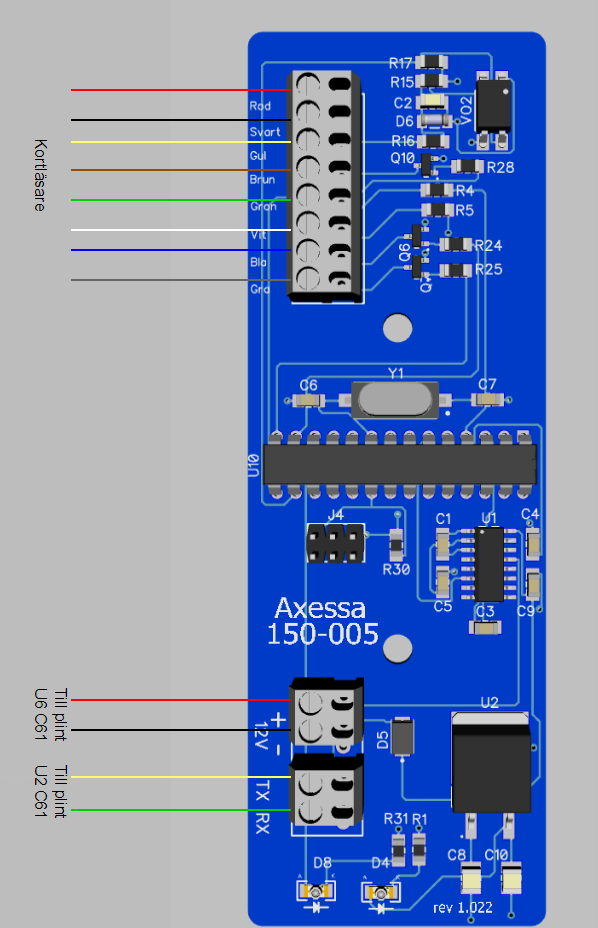
The module connects to the expansion port on the ST2043 (U2 + U6).
Installation
The expansion card WG-1 is connected with a 4-wire cable to the door control panel ST2043.
Card reader ST2008 connects to terminal U8 according due to the color instructions on the card.
Aktivation
On each circuit board there is a marking, e.g. M-2114-009. This number is used to activate the device in Steplock Cloud.
Start by navigating to Devices -> Card Reader -> the door terminal to which the device is connected.
Scroll down to the heading "Add Extension Module", enter the M number indicated on the interface, click "Add"
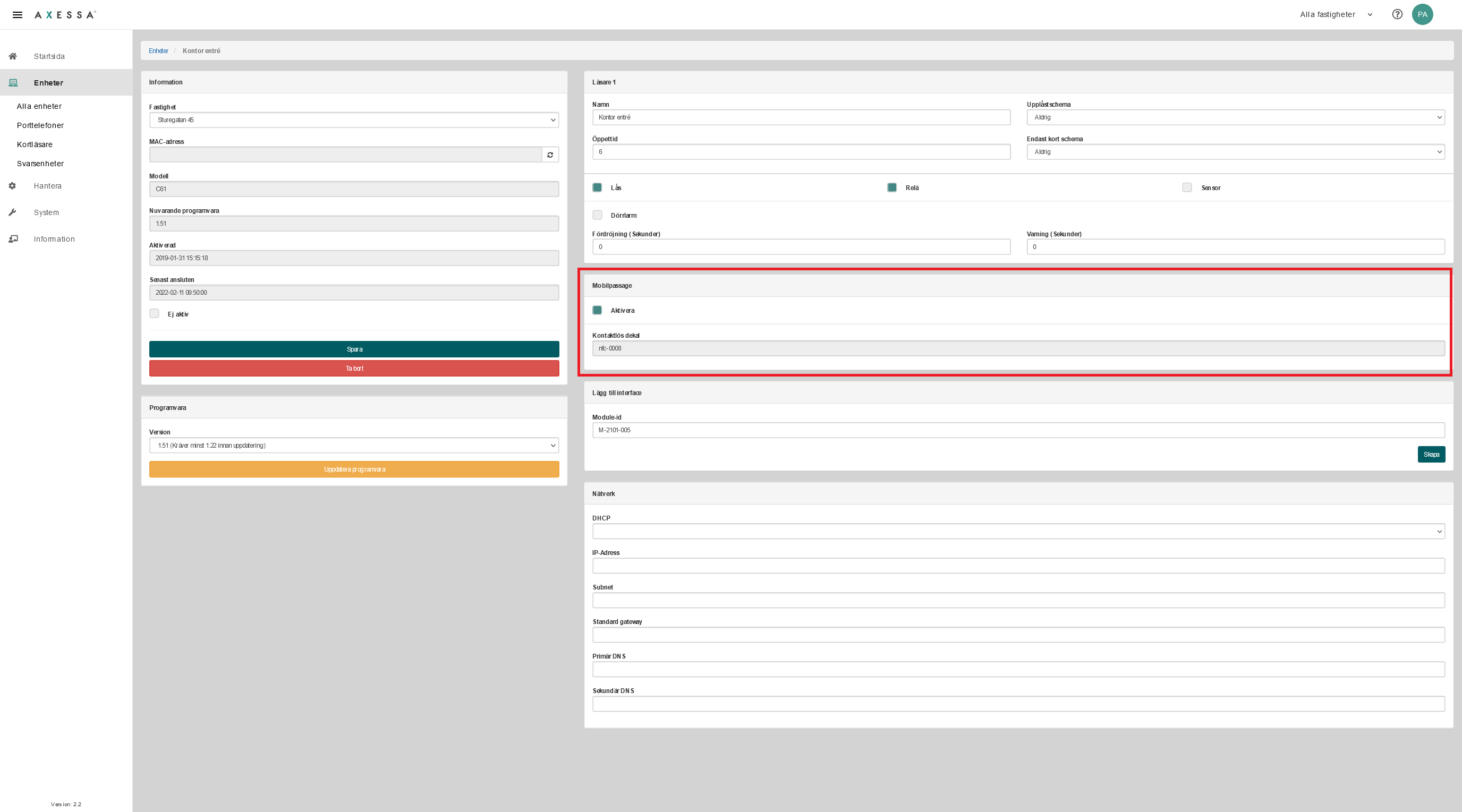
You will now get a new door environment that is ready to be configured.
Troubleshooting
- Module won't start?
Answer:
Check that +/- 12V is correctly connected to the door terminal ST2039 - I am not receiving any communication on the card reader or door terminal.
Answer:
1. Make sure the RX/TX is properly connected between the ST2039 and the door terminal
2. Restart the door control unit ST2043 so that one of the devices starts with the new settings.